Build a News & Calendar Feed (Economic Calendar, Earnings)
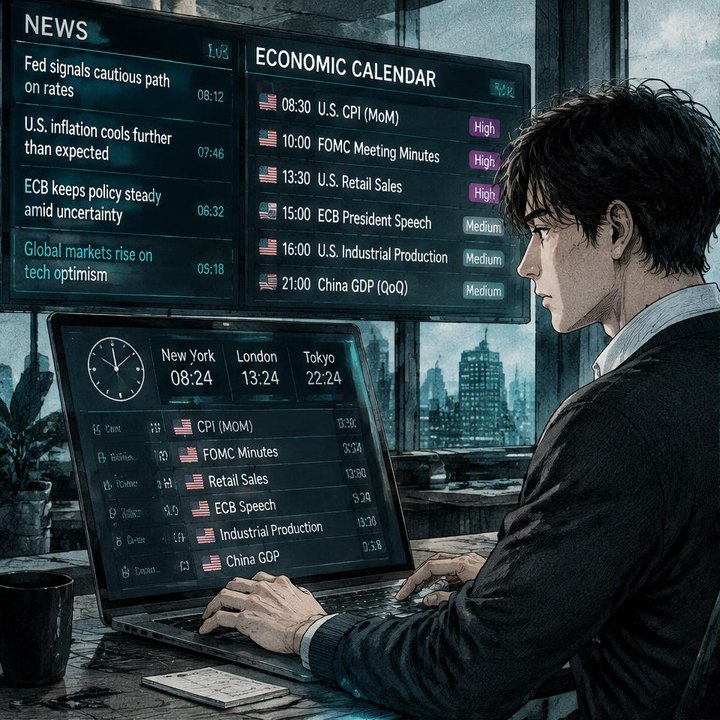
In the age of social media and 24-hour financial news cycles, information is not the problem—filtering is. As a trader, you are constantly bombarded with headlines, tweets, and "breaking news" alerts designed to trigger your emotions. To trade successfully, you must build a news and calendar feed that delivers high-signal information while aggressively filtering out the noise. The goal is to be informed, not overwhelmed.
The power of the Economic Calendar
Most market moves aren't random; they are reactions to specific, scheduled events. The economic calendar is your roadmap for the week. It lists every major data release—GDP, CPI, Non-Farm Payrolls, and Central Bank meetings—along with their expected impact and previous results.
If you are a forex or index trader, this is your most important tool. You should never be "surprised" by a market move that was scheduled on the calendar two weeks ago. By using the Tradefeeld Terminal, you can set alerts for high-impact events so you are always prepared to either capitalize on the volatility or step aside to protect your capital.
Navigating Earnings Season
For stock traders, the Earnings Calendar is just as important. Every quarter, public companies must report their financial performance. These releases often lead to massive price gaps and high-volume trends. - Before the Open (BMO): These companies report before the market starts, setting the tone for the trading day. - After the Close (AMC): These companies report after the market closes, often leading to significant price action in the after-hours session.
Building a feed that tracks the earnings dates for the stocks on your watchlist—and their competitors—is a fundamental part of the Trader Program. It allows you to anticipate "implied volatility" and plan your risk accordingly.
Building a "Signal-Only" News Routine
A professional news routine doesn't involve scrolling through X (formerly Twitter) all day. Instead, it’s a structured 15-minute process before the market opens: 1. Check the Calendar: What high-impact data is coming out today? At what time? 2. Scan Market Internals: How are the global indices and bond yields moving? (Use the Tradefeeld Terminal for a quick overview). 3. Review Ticker-Specific News: Has there been a CEO change, an analyst upgrade, or a lawsuit for any of the stocks on your watchlist?
By following this routine, you ensure that you are reacting to facts, not hype. You are treating the market like a professional business, where information is a commodity to be managed, not a distraction to be chased.
Avoiding the trap of "Expert Opinions"
Finally, be wary of the constant stream of analyst opinions and price targets. These are often lagging indicators or, worse, marketing material. Your job as a trader is to form your own thesis based on raw data and price action. Use news to understand the *why* behind a move, but never let an "expert" on television tell you *what* to do. That confidence should come from your own analysis and your participation in groups like the Alpha Club, where you can discuss data with other disciplined traders.
Keep learning with Trade Feeld
For deeper insights into how these concepts apply to your daily trading, visit Trade Feeld, follow @tradefeeld on X, @akylles on X, @tradicators on X, Instagram, YouTube, and LinkedIn.
How to apply Build a News & Calendar Feed (Economic in practice
The useful question is not whether Build a News & Calendar Feed (Economic Calendar, Earnings) sounds convincing. It is whether you can turn the idea into a decision that another careful trader could understand and repeat. A useful trading desk reduces friction, protects attention, and makes the same preparation process easy to repeat. Begin with this principle: Filter out 90% of financial news to focus on high-impact catalysts. Then translate it into a chart observation, a written rule, and a clear condition that would prove your interpretation wrong.
Use Stocks, Forex as a study list, not as a promise that the same rule works identically everywhere. Market hours, liquidity, volatility, transaction costs, and news sensitivity can change the result. Open several historical examples and include quiet periods, fast moves, failed signals, and awkward conditions. Looking only at attractive examples teaches recognition after the fact; looking at failures teaches decision-making before the outcome is known.
A repeatable Build a News & Calendar Feed (Economic workflow
Build one watchlist, one clean chart layout, one calendar routine, and one journal before adding specialist tools. Keep the workflow deliberately small. A beginner needs a process that survives distraction and uncertainty more than a complicated dashboard. Before each example, write what you expect to observe. Afterward, save the chart and record what actually happened. This prevents memory from quietly rewriting the original idea.
For every practice example, answer these questions: - What is the wider market context and relevant timeframe? - What exact condition makes the setup valid? - Where is the idea objectively invalidated? - How much could be lost if the invalidation is reached? - Is the potential reward reasonable after spread, fees, and slippage? - Is scheduled news likely to change the conditions? - What will be recorded after the trade or observation ends?
The answer should be short enough to read before acting. If a rule needs a paragraph of exceptions, it is probably not ready. Prioritize scheduled economic data over random analyst opinions. A checklist does not create an edge by itself, but it makes your decisions observable. Once decisions are observable, they can be reviewed and improved.
Build a News & Calendar Feed (Economic: worked study exercise
Choose one liquid instrument from Stocks, Forex and open a chart without placing a trade. Mark the relevant session, recent swing high and low, and any scheduled event that could affect price. Apply the central idea from this article and capture a screenshot before the next move unfolds. Add a sentence explaining your expectation and another sentence defining invalidation.
Repeat this process across at least three different conditions: a directional trend, a sideways range, and a volatile news-driven period. Do not change the rule between examples. The goal is to discover where the idea is useful, where it becomes ambiguous, and where it should be ignored. Compare outcomes in risk units rather than money so that examples with different prices or account sizes remain comparable.
This is also where a trading journal becomes valuable. Record date, instrument, timeframe, context, setup, trigger, planned risk, outcome, and one lesson. Screenshots matter because they preserve information that a final profit-and-loss number cannot show. A good review asks whether the process was followed; a lucky result from a broken process is not a good trade.
Risk management for Build a News & Calendar Feed (Economic
No article, coach, indicator, or AI trading tool can remove uncertainty. Decide the maximum acceptable loss before considering the possible gain. Position size should be calculated from the distance between entry and invalidation, not from confidence or excitement. When volatility expands, the same fixed position may create much more risk, so size usually needs to contract.
Avoid the most common error in this topic: Collecting screens, subscriptions, and indicators without defining which decision each tool improves. If the invalidation condition occurs, close or reassess according to the written plan. Moving the invalidation simply to avoid admitting an error changes a controlled decision into an uncontrolled one. Also consider correlated exposure: several positions driven by the same currency, index, sector, or crypto cycle may behave like one large trade.
The Tradefeeld Terminal consolidates essential data to prevent information overload. Evaluate a sequence of decisions rather than one win or loss. A method can lose while being executed correctly, and a bad decision can make money by chance. That distinction is central to sustainable learning.
Tools and AI trading tools for Build a News & Calendar Feed (Economic
Charts, screeners, economic calendars, journals, and AI trading tools can reduce manual work, but each tool needs a defined purpose. Ask what information it uses, how current that information is, what assumptions it makes, and what happens when data is delayed or missing. A Free AI Indicator, AI trading robot, or bot-trading product should never be trusted merely because it uses AI language. Look for transparent inputs, realistic costs, test periods that include different market conditions, and clear risk controls.
Use the Trade Feeld Terminal to observe live market context, events, news, and sentiment together. Continue through the free trading course if you want to learn trading free in a structured order. The aim is not to collect more signals; it is to improve the quality of the decision made before risk is taken.
Verify Build a News & Calendar Feed (Economic sources and keep learning free
Use the sources listed after this article as starting points and prefer primary material such as regulator guidance, official economic releases, exchange documentation, and company filings. Check publication dates and definitions because market rules, products, and data methods change. Search summaries can help you locate information, but they should not replace the original source.
The best website to learn trading is the one that helps you test ideas honestly, exposes uncertainty, and keeps education separate from promises of profit. Trade Feeld publishes practical education for trading beginners and developing traders, while the Pro library keeps the newest research and advanced setups easy to find. Continue with the next article in the learning path, or use the Pro tab to read the latest material first.
Follow Trade Feeld
Frequently asked questions
Sources & further reading
Educational content only, not financial advice. Trading involves risk of loss.
Trade these setups live
Get the same signals our research desk uses — entries, stops, and targets in real time.
Gain instant accessKeep reading
How to Set Up Your Trading Desk (Monitors, Hardware, Layout)
Learn how to build a professional trading desk setup that minimizes fatigue, maximizes focus, and helps you execute trades quickly.
TradingView and 4 Other Charting Tools Compared
Compare the most popular charting platforms to find the best fit for your trading style and technical analysis needs.
Comments(0)
Discuss the article and share your tips.